2026-06-18
What Is AI Workflow Automation: The 4-Stage Pipeline (2026)
What is AI workflow automation: a 4-stage pipeline (trigger, plan, act, review) that turns prompts into production workflows. Tools, examples, first-build guide.
2026-06-18
What Is AI Workflow Automation: The 4-Stage Pipeline (2026)
What is AI workflow automation: a 4-stage pipeline (trigger, plan, act, review) that turns prompts into production workflows. Tools, examples, first-build guide.
If you have spent any time on LinkedIn or in a SaaS blog in 2026, you have seen the phrase "AI workflow automation" used to mean everything from a one-line prompt to a multi-agent pipeline that ships a video a week. The term has been stretched so far it has stopped meaning anything specific. This article is the opposite of that. We are going to define the thing properly, walk through the four stages every AI workflow actually has, show you what an "agent" really adds over a script, and walk through how to build your first pipeline today.
By the end, you will be able to look at any "AI workflow" pitch and tell whether it is a real pipeline or a wrapped prompt. You will also know the four tools most teams use in 2026, the four mistakes most teams make, and the one workflow to ship first to get the rest of the organisation on board.
This is the umbrella article in the GolemWorkers library. Every other piece in the series — the YouTube pipeline, the customer-support pipeline, the Excel-agent guide, the multi-agent orchestration comparison, the AI agent pillar — links here. If you only read one article on AI workflows, read this one.
What "AI workflow automation" actually means in 2026
The cleanest definition we have come across:
AI workflow automation is the practice of using one or more AI models, wired together with a deterministic control flow, to take a real-world input and produce a real-world output with the same reliability as a human-driven process — but without a human in the loop on every step.
Four properties separate a real AI workflow from a wrapped prompt:
- It runs without a human typing the next prompt. A chat with an LLM is a workflow only if the chat is automated. The moment the human is typing, it is not a workflow; it is a conversation.
- It has a state, not just a prompt. The workflow remembers what step it is on, what has been tried, and what the partial outputs are. A single prompt that you re-type every Monday is not a workflow; it is a habit.
- It has a failure path. Real workflows fail — APIs go down, models hallucinate, files are missing. A real workflow has a retry, a fallback, a notification, or a human-escalation path. A wrapped prompt just throws an error and stops.
- It produces an artifact, not a response. The output is a file, a row in a database, a message in a channel, a published video, a sent email. Not a chat reply. A reply is a conversation. A file is a workflow.
If your "AI workflow" does not have all four, it is not a workflow. It is a tool, a chatbot, a prompt, or a demo. There is nothing wrong with those — but they are different categories, and the marketing has been blurring them.
A useful contrast:
- A chatbot takes a message, returns a reply, and forgets the context.
- A prompt is a one-off input to a model that returns an output.
- A script is a deterministic program that calls a model as one of its steps.
- An AI workflow is a stateful, observable, retry-aware pipeline where the model is one of several components and the control flow is in the hands of the orchestration layer, not the model.
This is the shape of the thing. Now let us look at the four stages every such workflow has.
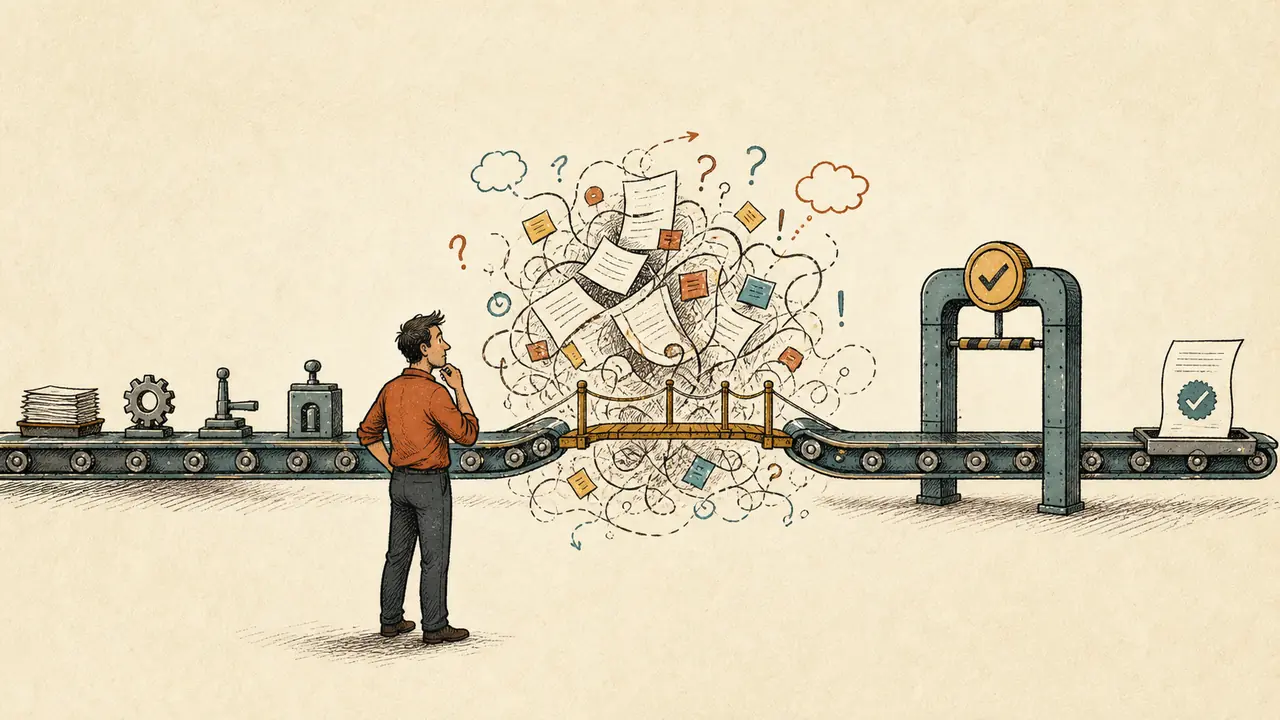
The 4 stages of an AI workflow
Every AI workflow we have seen in production, in 2026, has the same four stages. They have different names in different tools — Zapier calls them "steps", n8n calls them "nodes", LangChain calls them "chains", OpenClaw calls them "agents" — but the shape is the same.
Stage 1: Trigger
The trigger is the thing that starts the workflow. It is the answer to "when does this run?" The trigger is what separates a workflow from a prompt: the trigger is what makes it run without a human.
The common triggers, in order of how often you will use them:
- Webhook. An external system calls a URL. New support ticket created, new row in a database, new email in a shared inbox, new file uploaded. This is the most common trigger for production workflows.
- Cron. A schedule. Every Monday at 9am, every Friday at 5pm, the first of every month. This is the trigger for recurring workflows — the weekly content pipeline, the daily report, the monthly close.
- Event bus. An internal message bus (Kafka, NATS, Redis Streams, SQS) emits an event. The workflow subscribes. This is the right trigger when the workflow is part of a larger system and you want loose coupling.
- Human action. A button in a dashboard, a slash command, a "run now" from a UI. This is the trigger for on-demand workflows — the one-shot "build me a presentation from this brief" that the human kicks off manually.
- State change. A row in a database changes. A status moves from
pendingtoready. This is the right trigger when the workflow is downstream of another workflow and you want clean handoff.
Most production workflows are triggered by a webhook or a cron. The other three are less common but worth knowing. Pick the trigger that matches the cadence of the work — recurring work gets a cron, event-driven work gets a webhook, on-demand work gets a human action.
Stage 2: Plan
The plan is the part where the AI looks at the input and decides what to do. In a script, this stage does not exist — the script knows the steps. In an AI workflow, the model is the one that figures out the steps, or the order, or the parameters.
Two shapes for the planning stage, depending on the workflow:
- Static plan, dynamic parameters. The workflow has a fixed sequence of steps (e.g. "research, then write, then publish"), but the parameters for each step come from the model's output on the first turn. This is the right shape when the workflow is well-understood and only the inputs vary.
- Dynamic plan, dynamic parameters. The model itself decides which steps to run and in what order. The workflow is more like an agent that can call any tool. This is the right shape when the input is novel each time and the steps are not pre-known.
The first shape is what 80% of production workflows use. The second is what 20% need. The risk of the second shape is unbounded agency — the model can take a step you did not anticipate, and the cost is harder to predict. Use the second shape only when the first shape genuinely cannot solve the problem.
A good planning stage produces a plan that is inspectable. The next stage (act) reads the plan and executes it, but a human should also be able to read the plan and understand what is about to happen. If the plan is opaque, the workflow is a black box, and a black box cannot be trusted in production.
Stage 3: Act
The act stage is the one that does the work. It calls the APIs, writes the files, sends the messages, runs the calculations. In most workflows, this stage is dominated by deterministic code, not by the model — the model decided what to do, and the deterministic layer is the one that actually does it.
A few rules of thumb for the act stage:
- Tools, not magic. Every action the workflow takes should go through a real tool — a real API call, a real file write, a real database update. The model does not "do" things; the model decides things, and the tool layer does them. This is what makes the workflow auditable.
- Idempotent where possible. If the workflow fails mid-act and you re-run it, the act stage should not double-write, double-send, or double-charge. Use idempotency keys, deduplication, or a
dry_runflag for the first pass. - Bounded retries. Every external call has a retry budget. Three retries, exponential backoff, then escalate. Without this, a single flaky API takes the whole workflow down.
- Bounded spend. Every model call has a token budget. Every API call has a cost cap. The workflow should refuse to spend more than the budget the human set, even if the model is in a loop.
A well-built act stage looks boring on the dashboard. The model decided. The tools ran. The files landed. The messages went out. Nothing magical, nothing surprising. The magic is in the planning; the act is the part you want to be dull.
Stage 4: Review
The review stage is the one most teams skip, and it is the one that separates a demo from a production workflow. The review stage is where the workflow checks its own work, surfaces the result to the right human, and updates the state.
Three sub-stages that almost every production workflow has:
- Self-check. The model reviews the output it produced. "Did I follow the brief? Is the file non-empty? Is the API response a 200? Is the customer in the right tier?" A self-check catches 60-80% of the obvious failures before a human sees them.
- Human-in-the-loop (when needed). Some workflows need a human to look at the output before it goes live. A draft email that needs approval. A thumbnail that needs a pick. A code change that needs a review. The human-in-the-loop is not a failure of the workflow; it is a feature.
- Notify and persist. The workflow tells the right person what happened ("video uploaded unlisted", "ticket routed to tier-2", "report sent to #finance"), and it persists the result in a place the team will look (a database, a dashboard, a channel topic).
A workflow without a review stage is a workflow that ships bad output and hopes no one notices. A workflow with a review stage is a workflow you can put in front of a customer.
Putting the four stages together
┌─────────┐ ┌─────────┐ ┌─────────┐ ┌─────────┐
│ Trigger │───▶│ Plan │───▶│ Act │───▶│ Review │
└─────────┘ └─────────┘ └─────────┘ └─────────┘
webhook, model decides tools run, self-check,
cron, what to do APIs called, human-in-loop,
event, files written notify, persist
human
Every workflow fits this shape. The YouTube pipeline is a webhook-triggered workflow that plans (research, script, voice, thumbnail), acts (renders, generates, uploads), and reviews (human-pick the thumbnail, notify the owner). The customer-support pipeline is a webhook-triggered workflow that plans (classify, draft, escalate, sentiment), acts (updates the ticket, posts the alert), and reviews (notify the team, log the resolution). The Excel-agent guide is a human-triggered workflow that plans (interpret the prompt), acts (open the file, write the formulas, save), and reviews (self-check the formulas, show the diff, wait for human).
The four stages are the shape. The interesting question is what the agent in the workflow actually does — which is the topic of the next section.
Agent vs script: what "AI" actually adds
The most common confusion in 2026 is between a script that calls an LLM and an agent that owns a workflow. They look the same from the outside. They are not the same on the inside.
The script shape
A script that calls an LLM has this structure:
def generate_email(prompt: str) -> str:
response = openai.ChatCompletion.create(
model="gpt-4o",
messages=[{"role": "user", "content": prompt}]
)
return response.choices[0].message.content
# Run on a schedule
schedule.every().monday.at("09:00").do(
lambda: send_email(generate_email("Write a Monday newsletter"))
)
The script knows the steps. The model produces text. The script sends the text. The model has no idea what step it is on, what the previous output was, or what should happen if it fails. The script is a deterministic wrapper around a non-deterministic model.
This is fine for simple, low-stakes work. It is not fine for the workflows that move the needle in a business, because the model cannot recover from its own mistakes, cannot adapt to a new input, and cannot escalate to a human when it is uncertain.
The agent shape
An agent that owns a workflow has this structure (simplified):
steps:
- id: classify
agent: support-triage
input: { ticket: "{{event.ticket}}" }
output: triage.json
- id: decide
agent: workflow-router
needs: [classify]
input: { triage: triage.json }
# The router decides: does this need a draft, an escalation,
# a sentiment alert, or all three?
output: routing_plan.json
- id: act
needs: [decide]
parallel:
- if: "{{routing_plan.needs_draft}}"
agent: support-drafter
...
- if: "{{routing_plan.needs_escalation}}"
agent: escalation-watcher
...
- id: review
needs: [act]
if: "{{any_step.requires_human_review}}"
notify: { channel: slack, target: "#support-queue" }
The agent shape is stateful. Each step sees the output of the previous step. The workflow can branch based on intermediate results. The agent can ask a clarifying question (escalate to a human), retry a failed step, or skip a step that is not needed. The model is one of several components; the orchestration layer is the one in control.
The four differences that matter
| Property | Script + LLM | Agent + workflow |
|---|---|---|
| State | Stateless. The script does not remember what it did last time. | Stateful. The workflow remembers the partial output, the retries, the cost, the conversation. |
| Branching | None. The script does the same thing every time. | Branching on intermediate results. "If the model confidence < 0.7, route to a human; else proceed." |
| Failure handling | Throws an error. The human notices (or does not). | Retry, fallback, escalation, notification. The failure is contained. |
| Tool use | Whatever the script decides to call. | Whatever the model decides, bounded by the tool registry the workflow exposes. |
A script that calls an LLM is a hammer. An AI agent is a workshop. The hammer is a useful tool. The workshop is what you build when you have a building to make.
When to use which
Use a script + LLM when:
- The task is one-shot (generate a snippet, summarise a doc, draft a tweet).
- The output is low-stakes (a typo in a tweet is fine; a typo in a contract is not).
- You do not need to remember the previous run.
Use an agent + workflow when:
- The task has more than three steps.
- The task runs more than once.
- The output is high-stakes (a published video, a sent customer email, a financial report).
- You need to know what happened (audit log, retry, escalate).
For the rest of this article, we are talking about the second shape. The first shape is fine; it is just not what "AI workflow automation" usually means in 2026.
How to build your first AI workflow pipeline
A pragmatic, four-step plan. Each step is half a day; the whole thing is two days if you already have an LLM API key and a workflow tool you are willing to use.
Step 1: Pick the workflow that hurts the most
Not the workflow that is most impressive. The one that is most expensive right now. The one your team complains about on Mondays. The one where the answer is "we know how to do this, we just don't have the time." Pick that one.
A good first workflow has three properties:
- It runs more than once a week (so the savings compound).
- It has clear inputs and clear outputs (so the model can plan and the tools can act).
- It has a human-in-the-loop that is willing to review drafts (so the cost of a bad output is bounded).
If you do not have a workflow that matches all three, you do not have a first workflow yet. Wait.
Step 2: Pick the orchestration tool you will use
Six options in 2026, in order of how much they assume you want to operate the substrate yourself:
- Zapier, Make, n8n. No-code, visual. Best for non-engineers. The LLM step is one node. The trade-off is that branching, state, and human-in-the-loop are awkward.
- OpenClaw (us). Open-source workflow engine with first-class support for agents, secrets, retries, and human-in-the-loop. Best for engineers building production workflows. The trade-off is that it is a server, not a UI.
- LangChain, LlamaIndex, Haystack. Python libraries for building LLM workflows. Best for engineers who want full control and are willing to wire the substrate. The trade-off is that you operate the runtime.
- Temporal, Airflow, Prefect. General-purpose workflow engines with a thin LLM layer. Best for teams that already have one and want to add an LLM step. The trade-off is that the LLM step is not first-class.
- CrewAI, AutoGen, LangGraph. Agent frameworks that let you build multi-agent systems. Best for engineering teams exploring agent patterns. The trade-off is that the production substrate (retries, secrets, human-in-the-loop) is your job.
- Custom (your own code). A small Python service. Best when the other five are wrong for compliance, scale, or cost reasons. The trade-off is that you build the substrate.
For your first workflow, pick the one your team can ship in a week. The tool matters less than the choice to ship.
Step 3: Write the four prompts
The four stages of the workflow correspond to four prompts you write once and reuse forever:
- Trigger prompt. A short description of what kicks off the workflow. Often a one-liner in the tool's UI.
- Plan prompt. The most important prompt. This is the one that tells the model what to do, what the inputs are, what the output format is, and what the failure modes are. Be specific. Be bounded. Give examples.
- Act prompt. A short prompt per tool call. Most of the act stage is deterministic; the model only prompts when the tool needs to interpret something.
- Review prompt. A self-check prompt that asks the model to review its own output before it goes to the human. "Did I follow the brief? Is the output non-empty? Is the customer in the right tier?" A short checklist.
If you cannot write the four prompts in an afternoon, the workflow is not ready. Wait until the team can describe it in plain English.
Step 4: Ship, measure, and tighten
Ship the workflow to one user, one team, one channel. Measure three things:
- Time saved. How long did the workflow take vs the human process? If the human process is 2 hours and the workflow is 20 minutes (with 5 minutes of human review), the win is 1.5 hours per run.
- Quality held. Is the output as good as the human output, on a 20% QA sample? If quality is dropping, tighten the prompts. If quality is holding, ship to the next team.
- Cost per run. What did the run cost in API fees? At 50 cents per run, monthly cost is 50 cents × the number of runs. The cost should be a small fraction of the time saved.
If all three are good, ship to the next team. If any one is bad, fix that one before scaling. The pattern is: ship one, measure three, fix one, ship to two, measure three, fix one, ship to five.
That is the first workflow. By the time you have shipped three, you have a library. By the time you have shipped ten, you have a practice. By the time you have shipped thirty, you have a platform.
Real examples: what "AI workflow automation" looks like in production
The umbrella term covers a lot of ground. Here are five real workflows, each of which is a separate article in this library. The point is not the list — it is to show that the four-stage shape holds across very different domains.
1. The YouTube content pipeline. Webhook or cron triggers a five-agent workflow that does research, writes a script, renders a voiceover, generates three thumbnail variants, and uploads to YouTube. The human picks the thumbnail and approves the publish. Same shape, different domain. Full walkthrough →
2. The customer-support pipeline. Webhook from the helpdesk triggers a five-agent workflow that does triage, draft reply, escalation, FAQ bot, and sentiment. The human reviews the draft and ships. Same shape, different surface. Full walkthrough →
3. The Excel-agent workflow. Human trigger (a prompt like "clean this sheet") kicks off an agent that opens the workbook, runs the cleanup, writes the cleaned data to a new sheet, and shows a 10-row diff for review. Same shape, different file format. Full walkthrough →
4. The SEO content pipeline. Cron triggers a four-agent workflow that picks a keyword, writes a brief, drafts the article, generates a hero image, and pushes the draft to the content queue. The human reviews the article and ships. Same shape, different output. Walkthrough of the SEO agent →
5. The multi-agent orchestration stack. Webhooks from a Kanban trigger workflows that route work across Claude Code, Codex, and OpenClaw, with skills that compound over time. Same shape, different agents. Comparison of the orchestration tools →
These five are not the only shapes. They are the ones we have seen ship in 2026. If you have a different one, the four-stage shape will still hold. The names will change; the structure will not.
Tools: how to pick the right one in 2026
There is no single "best" AI workflow tool. The right tool depends on three things: who is building the workflow, what they are wiring it to, and how much of the substrate they are willing to operate.
For non-engineers (marketing, ops, sales)
Zapier, Make (formerly Integromat), and n8n are the right starting points. They have visual editors, a long tail of integrations, and an LLM step you can drop in. The trade-off is that branching, state, and human-in-the-loop are awkward at the edges, and the cost-per-task adds up at scale.
A good test: if your workflow has fewer than five steps and runs fewer than 100 times a month, Zapier is the right answer. If you outgrow that, move down the stack.
For engineers building production workflows
OpenClaw, Temporal, and Airflow are the right starting points. They have first-class support for retries, secrets, branching, state, and observability. The trade-off is that they are servers, not UIs, and you operate them.
A good test: if your workflow has more than five steps, runs more than 100 times a month, or touches production data, you are in this bucket. Pick the one your team can operate. OpenClaw is open-source and designed for the LLM-first workflow; Temporal is the right answer if you already have it; Airflow is the right answer if you are already a data team.
For engineers exploring agent patterns
LangChain, LlamaIndex, LangGraph, CrewAI, and AutoGen are the right starting points. They give you the primitives for building agents, but they do not give you the substrate (retries, secrets, observability, human-in-the-loop). You wire the substrate yourself, which is the right call when you are learning, and the wrong call when you are shipping.
A good test: if you are running the workflow fewer than 10 times a day and you are happy to debug it at 2am, you are in this bucket. The moment you want to ship to production, graduate to OpenClaw or Temporal.
For regulated industries (healthcare, finance, government)
Custom on top of Claude or GPT, deployed in your own VPC, with your own data layer. The right answer is the one your compliance team can approve. The trade-off is that you build everything; the upside is that you own everything.
A good test: if you cannot send customer data to a third-party API, you are in this bucket. The frameworks above are still useful; the deployment is yours.
The 4 mistakes teams make on their first AI workflow
Four failure modes we have seen in production, in order of how often they bite.
1. Building a chatbot instead of a workflow. The first instinct is to put a chat UI in front of the model and call it a workflow. It is not. The chat is a conversation. A workflow is a stateful pipeline. If the human is typing the next step, the workflow is not automated.
2. Skipping the review stage. Teams that ship a workflow without a review stage ship bad output and hope no one notices. The cost of a bad output in production is ten times the cost of a human-in-the-loop review. Always have a review stage. Even if the review is "the agent checks its own work and flags low-confidence cases."
3. Letting the model touch production without a budget. A model in a loop will burn tokens until you stop it. Every production workflow needs a hard budget per run, a hard budget per day, and a hard stop. The cost of a runaway loop is a $500 bill. The cost of a hard stop is a 30-minute delay. The trade is obvious.
4. Picking the wrong first workflow. The first workflow should be the one that hurts the most and is the most tractable. A team that picks a workflow that is impressive but tractable will fail. A team that picks a workflow that hurts but is tractable will succeed. The first workflow is the one that earns the right to the second.
What AI workflow automation looks like in 2027 (forward look)
A short forward look, because the field is moving fast and you should know what is on the other side of the work you are about to do.
Multi-agent orchestration is the default. Single-agent workflows are the demo; multi-agent workflows are the production. The article on multi-agent orchestration tools covers the four tools that ship this in 2026. By 2027, this is the default shape for any non-trivial workflow.
Skills compound across workflows. The 2026 generation of tools (Multica, OpenClaw, Paperclip) all treat skills as first-class objects. A skill written for one workflow can be reused in another. By 2027, the teams that win are the ones that have a skills library, not the ones that have the best prompts.
Human-in-the-loop becomes a budget. The teams that win are the ones that measure "human-review cost per workflow run" and treat it as a first-class metric. Below 10% is a fully automated workflow. 10-30% is a hybrid. Above 30% is a workflow that has not earned its keep.
Cost-per-run drops 5-10x. Models get cheaper. Agent runtimes get more efficient. The cost of a single workflow run that is $0.50 today will be $0.05-0.10 by 2027. This is the wrong reason to wait; the right reason to ship is the leverage, not the cost.
The substrate becomes invisible. The tools win by getting out of the way. The team using the tool does not think about retries, secrets, branching, or observability. The team using the tool thinks about the workflow. The substrate is plumbing. The workflow is the product.
FAQ
What is AI workflow automation? AI workflow automation is the practice of using one or more AI models, wired together with a deterministic control flow, to take a real-world input and produce a real-world output with the same reliability as a human-driven process — but without a human in the loop on every step. The four stages are trigger, plan, act, and review.
What are the four stages of an AI workflow? Trigger (what kicks it off), plan (the model decides what to do), act (the tools run), review (self-check, human-in-the-loop, notify, persist). Every production AI workflow in 2026 has these four stages, with different names in different tools.
What is the difference between an AI agent and a script? A script is a deterministic program that calls a model as one of its steps. An agent is a stateful, observable, retry-aware pipeline where the model is one of several components and the orchestration layer is in control. A script knows the steps. An agent can branch, retry, and escalate.
What are the best AI workflow automation tools in 2026? For non-engineers: Zapier, Make, n8n. For engineers: OpenClaw, Temporal, Airflow. For agent exploration: LangChain, LangGraph, CrewAI, AutoGen. For regulated: custom on top of Claude or GPT in your own VPC. The right tool depends on who is building and what they are wiring it to.
How do I build my first AI workflow? Pick the workflow that hurts the most and runs more than once a week. Pick the orchestration tool your team can ship in a week. Write the four prompts (trigger, plan, act, review). Ship to one user. Measure time saved, quality held, and cost per run. If all three are good, ship to the next team. If any one is bad, fix that one before scaling.
Is AI workflow automation the same as RPA? No. Robotic process automation (RPA) is a 2010s technology for automating deterministic UI tasks (clicking buttons, filling forms). AI workflow automation is the 2020s technology for automating tasks that involve a model, a tool, and a decision. The two are complementary: AI workflow automation can call an RPA bot, and an RPA bot can trigger an AI workflow.
Can I use AI workflow automation without code? Yes. Zapier, Make, and n8n are no-code. OpenClaw and LangChain are code-first. The right answer depends on the workflow. For a 5-step weekly report, no-code is fine. For a 30-step multi-agent pipeline, code-first is the only way.
What is the cost of an AI workflow? For a typical 5-step workflow with one LLM call per step, the cost is $0.10-0.50 per run. A weekly workflow is $5-25 per year in API fees. A daily workflow is $40-200 per year. The hosting of the orchestration tool is a separate line item.
What is the most common AI workflow mistake? Skipping the review stage. Teams that ship a workflow without a self-check, a human-in-the-loop, or a notification ship bad output and hope no one notices. The cost of a bad output in production is ten times the cost of a human review. Always have a review stage.
What is the difference between AI workflow automation and an AI agent? A workflow is a pipeline. An agent is a component. A workflow can contain multiple agents. An agent can be one step in a workflow. The two are not mutually exclusive; they are at different levels of abstraction. The 2026 production shape is a workflow with several agents.
How long does it take to ship a first AI workflow? Half a day to pick the workflow and the tool. Half a day to write the four prompts. Half a day to wire the integrations. Half a day to ship to one user. Two days, total, for a team that already has an LLM API key.
Will AI workflow automation replace human workers? It will replace the parts of human work that are routine, repetitive, and well-defined. It will not replace the parts of human work that are judgemental, empathetic, or creative. The teams that win are the ones that use the workflow to amplify the human parts (judgement, empathy, creativity) and automate the rest. The teams that lose are the ones that try to replace the human parts with the workflow.
What to read next
This article is the umbrella. The rest of the library is the leaves. Pick the one that matches the workflow you are about to ship.
- How to automate Gmail with OpenClaw — single-agent workflow for email automation.
- How to automate Telegram with OpenClaw — bot workflow with webhooks and human-in-the-loop.
- How to automate Slack with OpenClaw — bot workflow for team channels.
- How to automate Vercel with OpenClaw — deployment workflow.
- How to automate Trello with OpenClaw — Kanban workflow with state-driven triggers.
- How to automate HyperFrames with OpenClaw — creative workflow for video.
- Automate YouTube with OpenClaw: 5-Stage Agent Pipeline — five-agent content workflow.
- Automate Customer Support with OpenClaw: 5 Agent Workflows — five-agent support workflow.
- AI Agent for Excel: 7 Routine Tasks — single-agent Excel workflow.
- AI Agents: The Complete Practical Guide — the broader category.
- Multi-Agent Orchestration: 4 Open-Source Tools Compared — the orchestration layer.
- AI SEO Agent: Audits, Content & Technical SEO — marketing workflow.
- GolemWorkers: The AI Worker Platform — the substrate underneath.
If you only have an afternoon, read this article and the multi-agent orchestration comparison. If you have a week, read this article, the orchestration comparison, and the YouTube pipeline or the customer-support pipeline — whichever is closer to the workflow you are about to ship.
The umbrella is here. The leaves are linked. Pick one. Ship it.