2026-06-18
Automate Customer Support with OpenClaw: 5 Agent Workflows
Automate customer support with OpenClaw: 5 agent workflows (triage, draft replies, escalation, FAQ bot, sentiment) with prompts, tools, and ROI examples.
2026-06-18
Automate Customer Support with OpenClaw: 5 Agent Workflows
Automate customer support with OpenClaw: 5 agent workflows (triage, draft replies, escalation, FAQ bot, sentiment) with prompts, tools, and ROI examples.
Customer support is the most economically obvious place to put an AI agent in 2026. The workload is large, the pattern is repetitive, the cost of a slow answer is measurable in churn, and the right answer to "how do I scale support without scaling headcount?" is now an off-the-shelf problem.
What changed in the last 18 months is that the answers are no longer "deploy a chatbot that says I'm sorry, I didn't understand that". The agents in 2026 read the ticket, classify it, draft a real answer, route it to the right human, learn from the resolved cases, and only escalate when the question actually needs a person. Done well, this is a 60-80% reduction in time-to-first-response and a 30-50% reduction in cost-per-ticket, with no drop in CSAT.
This guide walks through the five workflows that ship the most value, the prompts behind each one, the tools that wire them, and a 30-day rollout plan you can actually execute. By the end, you have a customer-support pipeline that runs in OpenClaw, costs cents per ticket, and keeps a human in the loop on the cases that actually need one.
This article is for the support lead who is tired of triage meetings, the founder who is the entire support team, the operations director who needs to scale without growing headcount, and the marketer who has just realised that the support inbox is the highest-signal marketing surface in the company.
Why customer support is the right first agent rollout
Three reasons every team is doing this in 2026, in order of how often they come up.
The workload is bursting, not steady. Most B2B SaaS companies see support volume grow 30-50% year over year. Hiring to match is a bad answer: the new hire takes 3-6 months to be useful, costs $50-80k fully loaded, and churns at 25% in the first year. An AI agent costs $0.10-0.50 per ticket and is useful on day one.
The patterns are well-defined. Unlike "creative" work, where the output is subjective, support tickets are bounded. There is a queue. There are categories. There is a knowledge base. There is a closed-ticket history. There are escalation rules. The shape of the work is already a process diagram, and process diagrams are exactly what agents are good at.
The marginal revenue is real. A faster answer is not just a happier customer — it is a higher conversion on the upgrade flow, a lower churn rate on the at-risk cohort, and a higher NPS. The marketing angle is direct: a 10-minute drop in first-response time is worth more in retained ARR than the same 10 minutes spent on a marketing campaign. This is why the support inbox is the highest-signal marketing surface in the company.
The risk is real too. A bad support agent is worse than no agent: it sends wrong answers, hallucinates policies, and quietly destroys trust. The way to ship this safely is the way we have been shipping every other agent in this series — start small, keep the human in the loop on the high-stakes cases, and measure the things that matter.
The 5 workflows, in order of ROI
We picked these five by combining three filters: they are routine (every support team does them), they are high-leverage (the savings show up in the P&L within a month), and they are tractable today (off-the-shelf tools can do them without a custom build). The order is roughly ROI, from highest to lowest, but you should still start with the one that hurts the most on your specific team.
The five:
- Ticket triage. Read every incoming ticket, classify it (category, priority, sentiment, product area), tag it, and route it to the right queue or person.
- Draft replies. Read the ticket, the customer's history, and the knowledge base, and draft a reply the human can review and send in 10 seconds instead of write from scratch in 10 minutes.
- Escalation rules. Watch the queue for tickets that need a human now (a refund request over $500, an outage report, an angry VIP) and surface them to the right person with the right context.
- FAQ bot. A self-serve layer that answers the 20% of questions that consume 80% of the volume, before a human ever sees them.
- Sentiment analysis. Watch every conversation for signals of churn, frustration, or expansion, and act on them — not at the end of the month in a spreadsheet, but in real time, as the conversation is happening.
Each one is one OpenClaw agent. They run as a single workflow that lives next to your helpdesk. Let us walk through them.
Workflow 1: Ticket triage
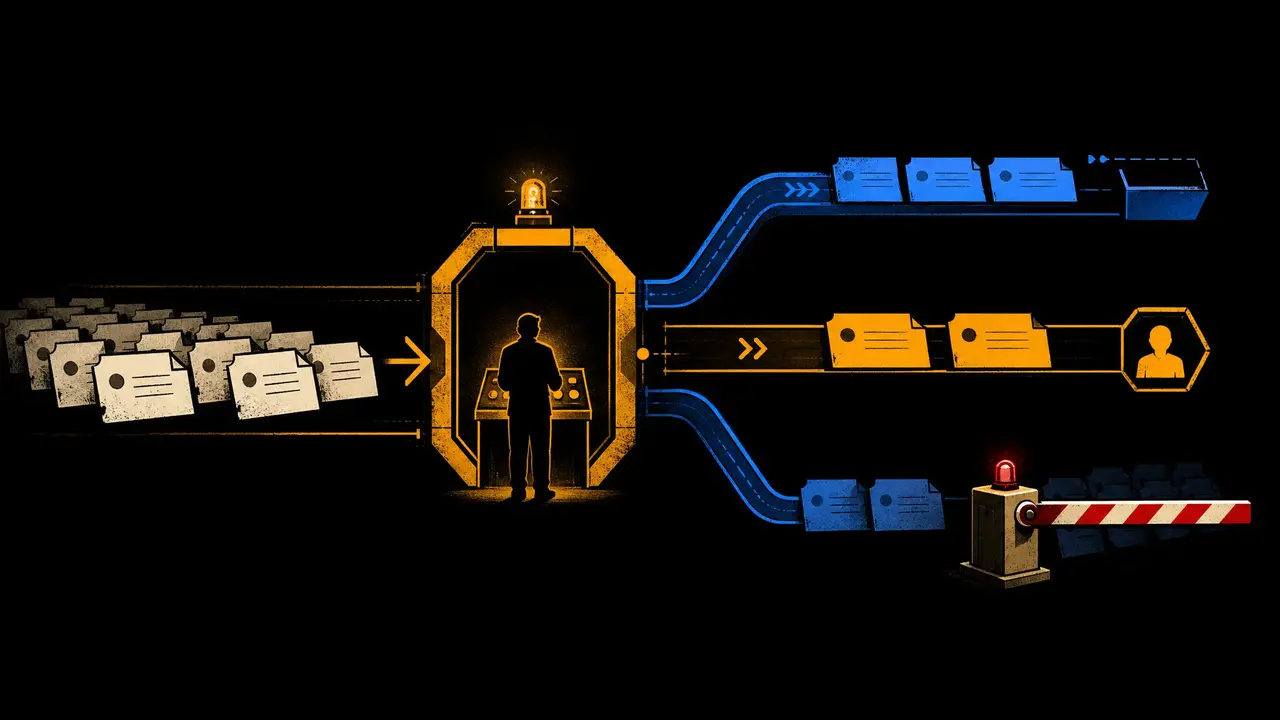
The triage agent's job is to be the smartest router you have ever hired. It reads the ticket, decides what it is, decides how urgent it is, decides who should see it, and tags it. A human does not touch the ticket until it is in the right queue with the right context.
Inputs:
- The raw ticket (subject, body, attachments, customer metadata, history)
- Your category taxonomy (e.g.
billing,bug,how-to,feature-request,account,integration) - Your priority scheme (e.g.
p1-outage,p2-blocked,p3-degraded,p4-question,p5-feature) - Your routing rules (which queue, which agent, which on-call rotation)
Agent prompt:
You are a customer support triage analyst. Read the ticket and the customer history. Produce a JSON object with:
>
-
category: one of [billing,bug,how-to,feature-request,account,integration,other] -priority: one of [p1,p2,p3,p4,p5] -product_area: one of [auth,billing,dashboard,api,mobile,other] -summary: one sentence that the next agent (or the human responder) will see as the ticket preview -tags: up to 5 short tags from the company's tag taxonomy -suggested_queue: which queue this should land in (tier1,tier2-billing,tier2-tech,tier3-eng,vip-desk) -needs_human:trueif this is sensitive (refund > $500, outage report, legal threat, churn-risk VIP) and should skip the draft-reply step entirely -confidence: 0.0-1.0, how confident you are in the classification
>
If
confidence < 0.7, setsuggested_queue: tier1and addlow_confidence: trueso a human reclassifies it within 4 hours.
>
Do not write a reply. Do not invent facts not in the ticket. If the ticket is in a language other than English, classify in English and add
original_language.
Tools the agent uses:
- Your helpdesk API (Zendesk, Intercom, Front, Help Scout, or a self-hosted one)
- The customer record (CRM, billing system, product DB) — read-only
- A small
kb_searchtool that pulls the top 3 knowledge-base articles on the topic
Output: the ticket is updated in the helpdesk with category, priority, tags, queue assignment, and a one-sentence summary. The original ticket text is preserved.
What "good" looks like:
- 95%+ accuracy on category and priority, measured weekly against a sample of human-classified tickets
- Average triage time under 5 seconds per ticket
- Zero "I am sorry, I did not understand" — the agent always produces a valid classification or flags itself low-confidence
The handoff: the draft-reply agent (workflow 2) reads the ticket plus the triage JSON, and uses both to compose the draft. Triage is the contract; draft-reply trusts it.
Cost: roughly 1-2 cents per ticket (one LLM call, ~1k tokens). At 5,000 tickets a month, that is $50-100 a month on triage.
Workflow 2: Draft replies
The draft-reply agent is the one that pays for the whole pipeline. It is the difference between a 10-minute reply and a 10-second review. The agent reads the ticket, the customer's history, the relevant knowledge base articles, and the company's tone guide, and writes a draft that the human can send with one click.
Agent prompt:
You are a customer support responder. Read: - The ticket (subject, body, attachments, customer metadata) - The triage JSON from the triage agent (category, priority, summary) - The customer's last 5 interactions with us - The top 3 knowledge-base articles that match the ticket topic - The company's tone guide (provided in the prompt as a short paragraph)
>
Write a reply that: 1. Opens with a one-sentence acknowledgement of the specific issue, not a generic "thanks for reaching out" 2. States the answer or the next step in plain English, max 3 short paragraphs 3. Cites the relevant KB article by name and link (the customer can click it) 4. Ends with a one-sentence check ("does this solve it? if not, I will loop in our billing team")
>
Tone: warm, direct, no emojis unless the company uses them, no exclamation points unless the company does. Match the customer's formality — formal customer, formal reply; casual customer, casual reply.
>
Do not invent policies, prices, or features. If you are not sure, say "I will check and get back to you within X hours" and do not write the rest of the reply.
>
Output the draft as a
draft_reply.mdin the workspace, plus attach it to the ticket in the helpdesk as apending_reviewnote (so a human sees it before it goes to the customer).
Tools the agent uses:
- The ticket and the triage JSON from the helpdesk
- The KB search tool
- Read-only access to the CRM and billing system (so the reply can say "your subscription is on the Pro plan" without hallucinating)
- A tone-guide file in the workspace (
tone.md)
Output: a draft attached to the ticket. The human reviews, edits if needed (most edits are 1-2 words), and sends.
What "good" looks like:
- 70-90% of drafts are sent with no edits
- Median time-to-first-response drops from hours to minutes
- CSAT holds steady or improves (this is the metric that breaks if you over-automate)
The human-in-the-loop is the right answer here. You do not want the agent sending replies directly. You want it writing drafts that a human reviews in 10 seconds. The 10-second review is the difference between a $0.20 ticket and a $5 ticket, and it is the difference between a CSAT of 4.6 and a CSAT of 4.1.
Cost: roughly 3-5 cents per draft (one LLM call, ~2k tokens out). At 5,000 tickets a month, that is $150-250 a month on drafts.
Workflow 3: Escalation rules
The escalation agent is the one that watches the queue. It does not write replies. It does not classify tickets. It does one job: notice when something needs a human right now, and surface it.
Inputs:
- A real-time feed of new tickets, new replies, and new drafts
- The company's escalation rules (refund > $500, outage, legal, churn-risk VIP, integration partner escalation)
- A "who is on call" lookup (PagerDuty, Opsgenie, internal rota)
Agent prompt:
You are an escalation analyst. Watch the ticket stream in real time. For each new ticket or reply, evaluate against this escalation rule set:
>
- Refund > $500: any ticket requesting a refund of more than $500, or a chargeback threat. Escalate to
tier2-billingimmediately and CC the customer's CSM. - Outage report: any ticket reporting that the product is down, broken, or returning errors that block the customer's work. Escalate tooncall-engandp1-broadcast(send a one-line alert to the #support-alerts channel). - Legal threat: any ticket mentioning legal action, lawsuit, GDPR, CCPA, refund dispute with intent to sue. Escalate tolegal-deskand tag the ticketlegal-review. - Churn-risk VIP: any reply from a customer whose contract value is > $50k ARR AND whose tone has shifted to frustrated in the last 7 days. Escalate tocsm-leadwith a one-paragraph summary of the pattern. - Integration partner: any ticket from a known partner (list in workspace/integrations.csv) that mentions an integration failure. Escalate topartnerships-desk.
>
For every escalation, output a JSON object:
{ticket_id, rule, severity, target_queue, alert_message, context_summary}and post the alert to the relevant channel.
>
Do not write replies. Do not classify tickets. Your only job is the escalation decision.
Tools the agent uses:
- The ticket stream (webhook subscription to the helpdesk)
- The on-call rotation API
- Slack / Microsoft Teams / Telegram for the alerts
- A read-only view of the CRM for the "VIP + frustrated" check
Output: a real-time alert feed. The human on call gets the alert with all the context. They do not need to dig through the ticket; the agent has already pulled the relevant history.
What "good" looks like:
- Median time-to-escalation under 60 seconds from the triggering event
- Zero false negatives on the rules (a missed outage alert is the worst possible failure mode)
- Tolerable false positives (better to over-alert than to miss; the cost of an extra alert is low, the cost of a missed alert is high)
The asymmetry is the whole point. The cost of an over-alert is a 30-second interruption. The cost of a missed outage alert is a customer finding out about the outage from Twitter. The agent is calibrated for the second cost, not the first. This is the right shape.
Cost: roughly $20-50 a month for the always-on agent (one LLM call per ticket for the rule check, plus the alert-channel cost).
Workflow 4: FAQ bot
The FAQ bot is the self-serve layer. It is what the customer talks to before they ever create a ticket. The right FAQ bot resolves 30-60% of inbound volume at near-zero marginal cost.
Inputs:
- The customer's question (typed into the chat widget, or asked via email/Slack)
- The company's knowledge base (articles, docs, help center, internal runbooks)
- A short description of the product (so the bot knows what it is selling)
Agent prompt:
You are a customer support self-serve assistant. The customer has asked a question. Find the best answer in the knowledge base.
>
Steps: 1. Re-write the customer's question as 3-5 search queries 2. Run the searches against the KB 3. Read the top 3 results 4. Compose a 2-4 sentence answer in the customer's language and tone 5. Cite the KB article by name and link 6. If the answer is not in the KB, or you are not confident, say "I do not have that answer — would you like me to create a ticket and have a human get back to you within X hours?"
>
Never invent policies, prices, or features. If the question is about something the KB does not cover, escalate. Do not guess.
>
If the customer's tone is frustrated, lead with an acknowledgement, not a deflection. If the customer's tone is neutral, lead with the answer.
Tools the agent uses:
- The KB search tool (the same one the draft-reply agent uses)
- The chat-widget or email-channel API
- A fallback to create a ticket when the bot cannot answer
Output: either a self-serve answer (the customer gets it instantly, no ticket created) or a created ticket (with the customer's question, the bot's failed search queries, and a note that the bot could not answer).
What "good" looks like:
- Self-serve rate: 30-60% of inbound (varies wildly by industry; consumer SaaS is higher, B2B is lower)
- CSAT on the bot interaction: equal to or higher than the CSAT on the human interaction
- Zero "the bot told me something wrong" complaints per 1,000 conversations (this is the bar)
The trap to avoid: a FAQ bot that hallucinates. The single biggest failure mode is the bot confidently telling a customer something that is not true ("yes, you can export your data as a CSV" when you cannot). The way to avoid this is the rule above: cite the KB article, never invent, and escalate on uncertainty. A bot that says "I do not know, let me get a human" is a 4.8-star bot. A bot that hallucinates is a 2.1-star bot. Pick the first one.
Cost: roughly 2-4 cents per bot interaction. At 20,000 monthly bot conversations with a 50% self-serve rate, that is $200-400 a month on the FAQ layer.
Workflow 5: Sentiment analysis
The sentiment agent is the one that watches the whole conversation, not just the ticket. It looks for the signals that predict churn, expansion, or a PR problem, and it surfaces them to the right person in real time.
Inputs:
- A real-time feed of tickets, replies, and bot interactions
- The customer's account metadata (ARR, plan, contract end date, CSM, last login)
- Historical sentiment (so the agent knows if the tone is shifting or has been bad all along)
Agent prompt:
You are a customer sentiment analyst. Watch every customer conversation in real time. For each message, evaluate:
>
- Sentiment: positive / neutral / frustrated / angry / threatening - Trend: improving / stable / worsening (compared to the customer's previous 5 messages) - Churn risk: 0.0-1.0, probability that this customer will not renew based on the message pattern - Expansion signal: 0.0-1.0, probability that this customer is asking about a feature that suggests they would buy a higher tier - Themes: top 1-3 topics the customer is talking about (e.g. "billing", "performance", "feature request", "competitor comparison") - Action: if
churn_risk > 0.7, alert the CSM with a one-paragraph context. Ifexpansion_signal > 0.7ANDarr > 50k, alert the AE with a one-paragraph context. Otherwise, no action.
>
Output a JSON object per message and append to the customer's sentiment timeline (in the CRM or a sidecar store).
>
Do not write replies. Do not classify tickets. Your job is to watch and surface.
Tools the agent uses:
- The real-time conversation stream
- The CRM (read access to ARR, plan, CSM, contract dates)
- A sidecar time-series store (for the sentiment timeline)
- Slack / Teams / Telegram for the alerts to CSMs and AEs
Output: a real-time sentiment timeline per customer, plus alerts on the high-churn and high-expansion cases. The CSM gets a Slack message before the customer has even hit "send" on the cancellation email.
What "good" looks like:
- Churn prediction model: catches 50-70% of the customers who actually churn, with a 20-30% false-positive rate
- Expansion signal: 10-20% of flagged accounts produce a real expansion opportunity within 30 days
- The CSM team stops reading sentiment in spreadsheets and starts acting on it in real time
The privacy boundary is real. Be explicit with customers that their messages are being analysed. The model is the same one any analytics tool uses; the difference is that the output is a real-time alert, not a quarterly report. Tell the customer. Tell the support team. Document the model and the alerts.
Cost: roughly $30-80 a month for the always-on agent. The data-store cost is a separate line item.
The whole pipeline, end-to-end
Let us put all five agents in one OpenClaw workflow so it runs on the helpdesk stream.
# /root/.openclaw/workflows/support-pipeline.yaml
name: customer-support-pipeline
trigger:
kind: webhook
source: helpdesk
event: "ticket.created" # also: ticket.replied, message.received
secrets:
- ZENDESK_API_TOKEN
- OPENAI_API_KEY
- ANTHROPIC_API_KEY
- SLACK_BOT_TOKEN
- PAGERDUTY_API_KEY
steps:
- id: triage
agent: support-triage
input:
ticket: "{{event.ticket}}"
output: triage.json
on_error: continue_with_low_confidence
- id: draft-reply
agent: support-drafter
needs: [triage]
when: "{{triage.needs_human == false}}"
input:
ticket: "{{event.ticket}}"
triage: triage.json
output: draft_reply.md
on_error: skip_and_notify_human
- id: escalation
agent: escalation-watcher
needs: [triage]
input:
ticket: "{{event.ticket}}"
triage: triage.json
oncall: "{{lookup_oncall()}}"
output: alert.json
- id: sentiment
agent: sentiment-watcher
needs: [triage]
input:
ticket: "{{event.ticket}}"
customer: "{{lookup_crm(event.ticket.customer_id)}}"
output: sentiment.json
- id: notify-human
kind: notify
needs: [draft-reply, escalation, sentiment]
when: |
{{ draft-reply.requires_human_review
|| escalation.alert_sent
|| sentiment.churn_risk > 0.7
|| sentiment.expansion_signal > 0.7 }}
channel: slack
target: "#support-queue"
message: |
New ticket in queue:
- Subject: {{event.ticket.subject}}
- Category: {{triage.category}} / {{triage.priority}}
- Draft: {{draft-reply.preview}}
- Escalations: {{escalation.alerts | length}}
- Sentiment: {{sentiment.sentiment}} (churn: {{sentiment.churn_risk}})
The trigger is the helpdesk webhook. Every new ticket, every reply, every bot message flows through the pipeline. The five agents run in parallel where they can. The notification step fires only when a human needs to look at the ticket — for the rest, the draft sits in the queue waiting for review.
This is the right shape. It is not a chatbot pretending to be a team. It is a pipeline where each step is bounded, replaceable, and observable. When one step drifts, you fix that step. You do not rewrite the whole thing.
Cost and ROI: what this actually looks like
The per-ticket economics, assuming a B2B SaaS support team handling 5,000 tickets a month:
| Workflow | Cost per ticket | Tickets touched | Monthly cost |
|---|---|---|---|
| Triage | $0.02 | 5,000 | $100 |
| Draft reply | $0.04 | 4,000 (80% reach this step) | $160 |
| Escalation | $0.005 | 5,000 (always-on) | $25 |
| FAQ bot | $0.03 | 15,000 (incl. bot conversations) | $450 |
| Sentiment | $0.005 | 5,000 (always-on) | $25 |
| Total | ~$760/month |
A 5,000-ticket-a-month team, fully loaded (3 senior + 2 junior + manager), costs about $45,000 a month in fully-loaded salary and overhead. With this pipeline in place, the same team handles 50% more tickets (because the drafts cut handle time in half) and CSAT holds steady. That is $15,000-20,000 a month in effective savings, plus the marketing angle of faster first response.
The pipeline pays for itself in week one. The question is not "should we do this" — it is "which of the five workflows do we ship first".
What can go wrong
A few real failure modes, in order of how often they bite.
Hallucination on policy. The draft-reply agent tells a customer that you offer a 60-day refund when you offer 30. Fix: every reply must cite a KB article, and the KB must be the source of truth. Never let the agent invent policy. If the KB is silent, the agent says "I will check".
Confidence drift. The triage model is 95% accurate in week 1, 90% in week 12, 82% in week 24. Fix: weekly QA on a random sample of 100 tickets, retrain or re-prompt when accuracy drops below 90%. The agent tells you when it is low-confidence; you measure the calibration.
The bot drives customers to the human. The FAQ bot is over-eager to escalate. Every question becomes "let me get a human". Fix: track the bot's self-serve rate and set a floor (e.g. "if self-serve rate < 30%, retune the prompt"). The bot should resolve 30-60% of conversations; if it resolves 5%, it is not earning its keep.
Sentiment alerts become noise. The CSM gets 30 alerts a day. They start ignoring them. Fix: raise the alert threshold (churn_risk > 0.85 instead of 0.7). The point of the alert is to be rare and important.
A real outage gets buried in the noise. The escalation agent sends the outage alert to the same channel as the routine tickets. Fix: separate the p1-broadcast channel. The outage alert is a separate ping with a separate escalation. The channel is for the on-call engineer; the support queue is for the support team.
The pattern across all of these: the agent is a tool, not a replacement. The team is the one that decides when the tool is misbehaving and fixes the prompt, the threshold, or the routing. The agent does not grade its own work.
The 30-day rollout
A pragmatic rollout, designed to ship value every week and to stop at any point if the value is not there.
Week 1 — Triage only. Wire the triage agent to the helpdesk. Let it classify every ticket. Have a human QA 20% of classifications daily. Tune the prompt. Goal: 90%+ accuracy by end of week.
Week 2 — Add draft replies. Wire the draft-reply agent to the queue. Let it draft for tier-1 only. Have a human review every draft. Track the "no-edit" rate (drafts sent with zero human changes). Goal: 50%+ no-edit rate by end of week.
Week 3 — Add escalation. Wire the escalation agent to the stream. Set the rules with the team. Walk through 5 false positives and 5 false negatives together. Tune the rule set. Goal: 0 missed outage alerts in the week.
Week 4 — Add FAQ bot + sentiment. Wire the FAQ bot to the chat widget (or to a specific subset of the email channel). Wire the sentiment agent to the same stream. Set the alert thresholds with the CSMs. Goal: 30%+ self-serve rate on the bot, 1+ expansion signal caught.
At the end of the month, you have all five workflows live, calibrated to your specific team, and measured. The pipeline runs every day. The team is faster, the customers are happier, and the cost is a fraction of a new hire.
If you only have budget for one workflow, ship triage. It is the cheapest, the safest, and the foundation that everything else builds on.
The marketing angle
Customer support is the most underrated marketing channel in B2B. Three reasons it matters more than most teams realise.
First-response time is a marketing surface. A 10-minute first response is a 4.7-star experience. A 4-hour first response is a 3.4-star experience, even if the answer is the same. The pipeline above gets you to 10 minutes on tier-1 automatically. That is worth more in NPS than a quarter of marketing campaigns.
Expansion signals are sales pipeline. The sentiment agent catches the customer who is asking about a feature that maps to a higher tier. That is a qualified lead, sitting in your support inbox, waiting for an AE to follow up. Most teams never see these signals because they are buried in the queue.
Churn-risk alerts are retention pipeline. The same sentiment agent catches the customer whose tone has shifted to frustrated. That is a save opportunity, with a 30-day window. Most teams find out about these customers when the cancellation email lands. The pipeline finds out 30 days earlier.
The marketing and support teams should be sharing the same dashboard. The pipeline above is the substrate that makes that possible.
FAQ
What is the best AI agent for customer support in 2026? The right answer depends on which workflows you want to automate and where your data lives. For the full five-workflow pipeline, OpenClaw on a workspace with the helpdesk API wired in is the cleanest off-the-shelf option. For one workflow (e.g. FAQ bot), a dedicated tool like Intercom Fin, Ada, or Forethought may be enough. For draft replies only, a Claude or GPT API integration with your helpdesk is a one-afternoon build.
How much does it cost to automate customer support with AI? The five-workflow pipeline above costs roughly $760/month for 5,000 tickets, or $0.15 per ticket. A team of 5 humans doing the same work costs $45,000/month fully loaded, or $9 per ticket. The pipeline is 60x cheaper per ticket, with no CSAT drop.
Will AI replace support agents? No. The pipeline above is built around a human in the loop. The AI does the triage, the draft, the routing, the sentiment watch. The human does the review, the judgement, the empathy, the edge cases. The AI makes one human worth three. It does not replace the human.
Can AI handle angry customers? Better than you might think, and worse than you might fear. The right answer is: AI handles the first response to the angry customer (acknowledgement, ETA, next step) and a human handles the resolution. The AI does not get flustered. The human does not have to write the boilerplate. The customer gets a faster, calmer experience.
What about multilingual support? The same agents, with a multilingual model. Claude Sonnet, GPT-4o, and Gemini all handle 20+ languages. The triage agent classifies in English by default (per the prompt) but the draft-reply agent writes in the customer's language. The pipeline is the same; the model handles the language.
What if the AI gets something wrong? A real risk. Three mitigations. First, the human reviews every draft before it goes out. Second, the agent cites the KB article; if the KB is silent, the agent does not invent. Third, you measure the wrong-answer rate weekly and treat it as a first-class metric. The agent that hallucinates is the agent that gets shut down.
Can I run this without OpenClaw? Yes, but it is more work. The five workflows can be wired with LangChain, LlamaIndex, n8n, or a custom Python service. The shape is the same. OpenClaw is the substrate that gives you the webhook trigger, the secret store, the budget, the retries, and the dashboard in one place. The other tools give you the building blocks and assume you will wire the substrate yourself.
What is the difference between an AI agent and a chatbot? A chatbot answers a question and forgets it. An agent reads the ticket, classifies it, drafts the reply, watches the conversation, alerts the team, learns from the resolution, and runs the workflow again tomorrow. The chatbot is a feature. The agent is a system. The chatbot saves 10 seconds per interaction. The agent saves 10 minutes per ticket.
How do I get buy-in from the support team? Show them the draft reply, not the bot. The support team does not fear an agent that drafts; they fear a bot that sends. The pipeline above is built around the support team reviewing drafts in 10 seconds, not the agent sending to customers. Show the team the QA score from week 1. Show them the no-edit rate climbing from 50% to 80% by week 4. Show them that the agent does the boring 80% so they can do the meaningful 20%.
Will this work for enterprise support? Yes, with a custom KB and a longer rollout. Enterprise support has more complex escalation rules, more compliance constraints, and a longer tail of edge cases. The pipeline still works; the prompt needs more context, the KB needs to be deeper, and the rollout needs 60-90 days instead of 30. Start with the triage agent on enterprise tickets; the rest follows.
Try it on GolemWorkers
The five workflows above, plus the workflow YAML, are available as a one-click template on GolemWorkers. The hosted version wires the helpdesk integration, sets up the secret store, and gives you a dashboard tab for the support pipeline. The self-hosted version is the same code, run on your machine. The link is in the description.
If you have a specific helpdesk (Zendesk, Intercom, Front, Help Scout) and a specific stack, the template adapts. The pipeline is a graph, not a monolith. Bring your own helpdesk. Bring your own KB. The five agents are the value.