2026-06-18
Automate Airtable with OpenClaw: 4 Workflows That Ship
Automate Airtable with OpenClaw: 4 workflows (bulk import, cleanup, CRM sync, base auto-summary) with prompts, tools, and examples.
2026-06-18
Automate Airtable with OpenClaw: 4 Workflows That Ship
Automate Airtable with OpenClaw: 4 workflows (bulk import, cleanup, CRM sync, base auto-summary) with prompts, tools, and examples.
Airtable is the low-code database that quietly became the operational backbone of a million small and mid-sized teams. Marketing teams run content calendars on it. Sales teams run lightweight CRMs on it. Ops teams run inventory, vendors, and project trackers on it. Recruiting teams run candidate pipelines on it. The common thread: the schema is structured, the views are flexible, the automations are good, and the work is repetitive. In 2026, the agents are good enough to take the repetitive work off the team's hands.
This guide walks through the four workflows that ship the most value on Airtable, the prompts behind each one, the tools that wire them, and a workflow YAML you can run on a schedule. By the end, you have an Airtable base where the imports fill themselves, the cleanup happens on a schedule, the CRM stays in sync, and the summary post is in Slack before the team starts asking "what changed".
This is one of the concrete examples of the 4-stage AI workflow pipeline. The shape is the same — trigger, plan, act, review — and the domain is the low-code database that every operations team in the world already lives in. It is the sibling of the Notion pipeline (productivity surface) and the Trello pipeline (kanban surface) — same pattern, different tool, different low-code audience.
This article is for the operations lead whose Airtable base is the source of truth and is drifting, the sales ops manager who maintains a CRM-by-Airtable and is tired of the manual syncing, the marketing ops who runs a content calendar on Airtable and spends Mondays cleaning last week's data, and the founder who is the entire ops team and wants their week back.
Why Airtable is the right next agent rollout
Three reasons every operations team we work with in 2026 puts Airtable at the top of the automation list.
The shape is already a workflow. Airtable has bases, tables, fields, views, automations, forms, and a script block. The data model is structured. The relations are explicit. The formulas are typed. An agent that knows the Airtable data model can read a base the way a senior operator does, and can write back into the same shape with the same fidelity. Most database tools are not this clean. Most no-code tools are not this powerful. Airtable is both, and that combination is exactly what an agent wants.
The pain is universal and visible. Every Airtable base has the same handful of problems: the imports come in messy, the cleanup is overdue, the CRM is out of sync, the summary is missing. These are visible pain points; they are visible wins. The team that ships one of these workflows becomes the team that gets to ship the next one.
The low-code audience pays well. The Airtable user is not the engineer who is happy to wire an API. The Airtable user is the operator, the marketer, the sales manager, the founder. They have a budget. They have a problem. They have a willingness to pay for tools that ship the work. This is the audience that the AI agent rollout is best-positioned to serve, and the workflow shape above is the shape that maps to their day.
The risk is the same as any other agent rollout: an Airtable base with bad automation is worse than an Airtable base with no automation, because the bad data now lives in the place the team trusts. The way to ship this safely is the way we have been shipping every other agent in this series — start small, keep the human in the loop on the high-stakes changes, and measure the things that matter.
The 4 workflows, in order of ROI
We picked these four by combining the same three filters we use for every workflow in this series: routine (every Airtable team does them), high-leverage (the savings show up in the team's week), and tractable today (off-the-shelf tools can do them without a custom build). The order is roughly ROI, from highest to lowest, but you should still start with the one that hurts the most on your specific base.
The four:
- Bulk import. Take messy, semi-structured input (a CSV, a Google Sheet, a Slack export, a Notion database, a JSON API response) and turn it into properly-structured rows in the right Airtable table, with the right fields, the right relations, the right tags. The imports stop being a Friday afternoon.
- Cleanup. Read every row in a table, find the problems (missing required fields, malformed values, broken relations, duplicates, stale data), and either fix them automatically or queue them for human review with a clear rationale.
- CRM sync. Keep an Airtable base in sync with an external CRM (HubSpot, Salesforce, Pipedrive, Attio) — or, increasingly, keep Airtable as the source of truth and push to the CRM. The bidirectional sync is the hard part; the agent makes it tractable.
- Base auto-summary. Read the base on a schedule, summarise what changed, what needs attention, and what is at risk, and post the summary to Slack or a Notion page. The team gets a daily digest of the base without anyone writing the digest.
Each one is one OpenClaw agent. They run as a single workflow that lives next to your Airtable base. Let us walk through them.
Workflow 1: Bulk import
The bulk import agent is the one that turns "we got 2,000 rows of messy data and the team has to type them in" into "the import runs on a cron and the team reviews the diff". It is the lowest-risk entry point and the one that sells the rest of the list to a skeptical team.
The problem: Your marketing team just signed up with a new lead-gen vendor. The vendor sends a CSV every Friday: 2,000 rows of company name, contact name, email, phone, industry, employee count. The fields are 60% correct. The industry column is a free-text field that needs to be mapped to your 12 canonical industries. The employee count is a string ("~50", "100+", "10-50") that needs to be bucketed. The agent does the mapping, the bucketing, and the import.
Inputs:
- The source: a CSV file, a Google Sheet URL, a Slack message attachment, a Notion database, a webhook payload
- The target table: which Airtable table to write into, with its field schema
- The mapping rules: how source fields map to Airtable fields, including the canonical value lists
- The validation rules: what counts as a "valid" row, what counts as a "needs human review" row
Agent prompt:
You are an Airtable import steward. Read the inbound data (a CSV, a sheet, a JSON payload) and the target Airtable table schema. Produce a list of Airtable record payloads:
>
For each row in the source: 1. Map every source field to the target field per the mapping rules. If a field has no mapping, leave it out of the payload and add a
missing_required_field:flag. 2. Normalise every value to the target's type (string, number, select, multi-select, date, email, phone, url). For select/multi-select, map to the canonical value; if no canonical match, set to the first option and flagvalue_not_in_taxonomy: true. 3. Resolve relations by looking up the related table by the value's matching field. If the related record is not found, set the relation to null and flagrelation_unresolved: true. 4. Validate the row against the target table's required fields. If a required field is missing or invalid, setneeds_human: trueand add the field name tomissing_required_fields. 5. De-duplicate against the existing rows in the target table. If the row matches an existing record byexternal_id(or another unique key), setaction: "update"with the existing record id. Otherwise, setaction: "create".
>
Output a list of
{action, fields, needs_human, flags}payloads. Do not write to Airtable yet — a human reviews the diff and clicks "apply" to commit.
Tools the agent uses:
- The source reader (file read, Google Sheets API, Notion API, webhook payload parser)
- The Airtable API to read the target table schema and existing rows
- The workspace's mapping rules (
import_mapping.yaml) - The Airtable API to write the records (in batches of 10, after human approval)
Output: a list of create and update payloads, with needs_human and flags surfaced, in a import_diff.json file. A human reviews the diff (typically 5-10 minutes for 2,000 rows) and clicks "apply". The agent writes the records to Airtable in batches.
What "good" looks like:
- 90%+ of rows imported with no human review
- 100% of rows traced to a source (no fabricated data)
- Zero duplicate records created (de-dup is enforced)
- A
needs_humanqueue that gets reviewed within 24 hours, with the human in the loop only on the cases that need them
The trap to avoid: the import that lies. The agent that maps "Acme Corp" to a different company in the relations table is the agent that loses the team's trust. The rule above — "validate against the target schema, flag relation_unresolved, never invent" — is the rule that keeps the import honest.
Cost: roughly 1-2 cents per row imported. At 2,000 rows a week, that is $20-40 a month on bulk import. The alternative (a human typing 2,000 rows by hand) is 8-12 hours of work per week.
Workflow 2: Cleanup
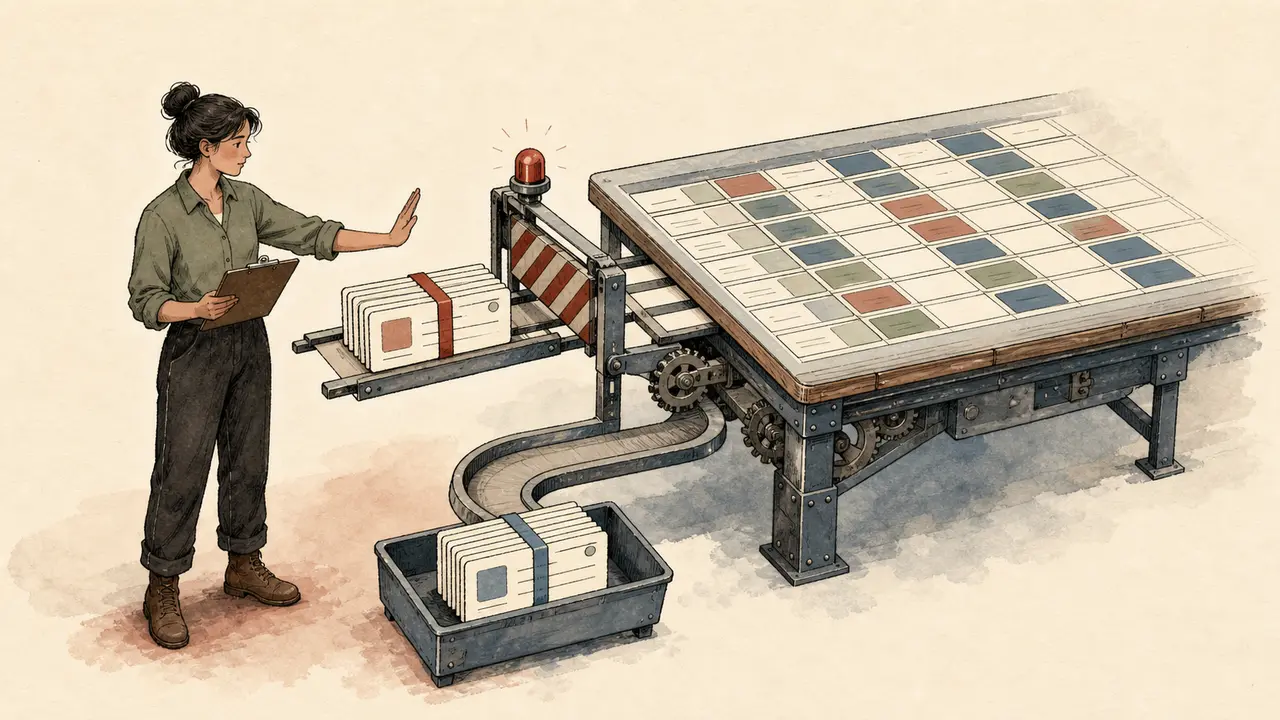
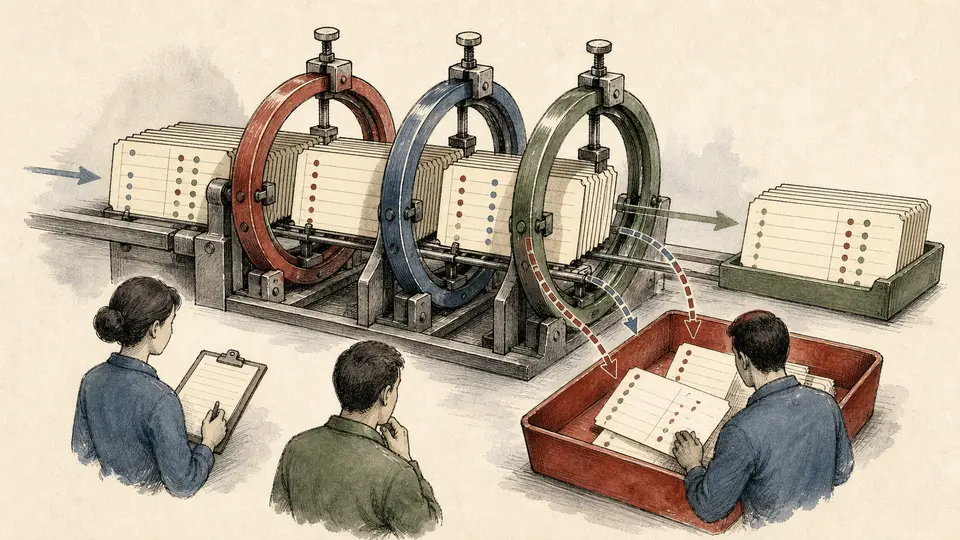
The cleanup agent is the one that turns "the base is messy and we will fix it next quarter" into "the base is clean and the next quarter starts on Monday". It reads every row in a table, finds the problems, and either fixes them automatically or queues them for human review.
The problem: Your CRM-by-Airtable has 8,000 rows. 400 of them have a missing company name. 600 have a malformed email. 200 have an industry that is not in the canonical list. 1,200 are duplicates from two different import waves. 50 have a closed date that is before the create date (impossible). The team knows the base is messy; the team has not had the time to fix it. The agent fixes the things that can be fixed and queues the rest.
Inputs:
- The target table: which Airtable table to clean
- The validation rules: required fields, value taxonomies, relation requirements, date sanity checks
- The fix policy: what the agent can auto-fix (e.g. trim whitespace, normalise phone format), what needs human review (e.g. merge duplicates, set missing required field)
Agent prompt:
You are an Airtable data quality steward. Read every row in the target table. For each row, evaluate against the validation rules and the fix policy. Output a list of cleanup actions:
>
1. Auto-fix. For each issue that is in the fix policy's auto-fix list (whitespace, case, phone format, date format, taxonomy mapping by simple rule), output
{action: "update", record_id, field, old_value, new_value, rationale}. Apply the auto-fix in a batch. 2. Flag for human review. For each issue that is NOT in the auto-fix list (missing required field, potential duplicate, impossible date, relation that cannot be resolved), output{action: "flag", record_id, field, issue, rationale, suggested_action}. Do not modify the record; queue it for human review. 3. De-duplicate. For each pair of records that are likely duplicates (matching oncompany_name + city, or another dedup key), output{action: "dedup_candidate", record_id_a, record_id_b, match_score, suggested_merge_field}. Queue for human review; do not merge automatically.
>
Apply the auto-fixes in a single batch write. Queue the rest for human review. Output a
cleanup_report.mdsummarising: total rows checked, auto-fixes applied, rows flagged, dedup candidates found, and a confidence score for each action.
Tools the agent uses:
- The Airtable API to read every row in the target table (paginated)
- The workspace's validation rules (
cleanup_rules.yaml) - The Airtable API to apply the auto-fix batch
- A small
duplicate_detectorhelper that scores pairs of records
Output: a clean base (auto-fixes applied), a flag queue (human review), a dedup queue (human review), and a cleanup_report.md that the team reads on Monday morning.
What "good" looks like:
- The base has 0 missing required fields after the cleanup (where the fix was possible)
- The dedup queue is small enough to review in an hour
- The cleanup report is shared with the team every Monday — the team trusts the report
- The cleanup is idempotent — running it twice does not change the result
The trap to avoid: the cleanup that over-fixes. The agent that "fixes" a free-text field by guessing what the user meant is the agent that loses the team's trust. The rule above — "auto-fix only what the fix policy explicitly allows" — is the rule that keeps the cleanup honest. A flag queue is a healthy queue. A flag queue of zero is a sign the agent is over-fixing.
Cost: roughly 0.5 cents per row checked. At 8,000 rows checked weekly, that is $40 a month on cleanup. The alternative (a human going through 8,000 rows) is a part-time job.
Workflow 3: CRM sync
The CRM sync agent is the one that keeps two systems in agreement. It is the hardest workflow on this list because the data has to be right in both directions, and the failure modes are silent. Done well, it is the workflow that makes Airtable-as-CRM viable at scale.
The problem: Your sales team uses HubSpot as the CRM. Your ops team uses Airtable as the source of truth for the customer database, the partner directory, and the project pipeline. The two systems are out of sync by about 200 records on any given Monday. The team is tired of being the integration layer. The agent keeps them in sync.
Inputs:
- The two systems: Airtable (source of truth) and HubSpot / Salesforce / Pipedrive / Attio (CRM)
- The sync direction: Airtable → CRM, CRM → Airtable, or bidirectional
- The field mapping: which Airtable fields map to which CRM fields
- The conflict policy: which system wins when both have been updated since the last sync
- The sync cadence: every 15 minutes, hourly, or on a webhook
Agent prompt:
You are an Airtable-CRM sync steward. Read the records in both systems. Produce a list of sync actions:
>
1. Identify changes. Compare the records in Airtable and the CRM by the dedup key (
external_id, or a custom field). For each pair, identify which side has been updated since the last sync timestamp. 2. Resolve conflicts. If both sides have been updated, apply the conflict policy: -airtable_wins: Airtable's value goes to the CRM -crm_wins: CRM's value goes to Airtable -newest_wins: whichever timestamp is more recent wins -flag_for_human: do not sync; queue for human review 3. Map fields. For each change, map the field name from the source system to the target system per the field mapping. 4. Validate. For each change, validate the target's required fields and value taxonomies. If the target field does not accept the value (e.g. CRM's industry select does not have the Airtable value), flagvalue_not_in_taxonomy: trueand either skip the field (default) or queue the row for human review. 5. Apply. For each change that passes validation, output a sync action:{action: "create" | "update", target_system, external_id, fields}. Apply in batches of 10. 6. Log. For every sync run, output async_report.mdwith: records checked, creates, updates, conflicts, skipped, errors, and the timestamp of the next scheduled sync.
Tools the agent uses:
- The Airtable API to read/write the Airtable side
- The CRM API (HubSpot, Salesforce, Pipedrive, Attio) to read/write the CRM side
- The workspace's field mapping (
sync_mapping.yaml) - A small
conflict_resolverthat implements the conflict policy
Output: the two systems are in sync, a sync_report.md summarises the run, and any conflicts are queued for human review.
What "good" looks like:
- 0 records out of sync at the end of every sync run
- Conflict rate below 1% of total records (most records are updated on one side only)
- Sync latency under 15 minutes from a write on one side to a write on the other
- The
sync_report.mdis read by the ops team every Monday — they trust the sync
The trap to avoid: the silent over-write. The agent that over-writes a CRM record with an Airtable value that is wrong is the agent that loses the sales team's trust. The rule above — "validate against the target's required fields and taxonomies, never invent, queue on uncertainty" — is the rule that keeps the sync honest. A sync that queues 5 records for human review is a healthy sync. A sync that queues zero is a sign the agent is over-writing.
Cost: roughly 0.5-1 cent per record checked. At 8,000 records checked hourly (8,000 × 24 × 30 = 5.7M record-checks per month), that is $300-600 a month on sync. For smaller bases, the cost is much lower. The alternative (a human reconciling two systems by hand) is a full-time job.
Workflow 4: Base auto-summary
The base auto-summary agent is the one that turns "what changed in the base this week" into a daily digest. It is the highest-leverage workflow on this list for any base that is shared across a team, because the team gets a daily summary without anyone writing the summary.
The problem: Your ops team maintains a 6-table Airtable base: customers, projects, vendors, invoices, support tickets, team tasks. The team has 4-5 people, each with a different view of the base. The team has 30 minutes of "what changed" meetings every Monday. The agent posts a daily summary to Slack that covers 80% of what the meeting would have covered.
Inputs:
- The base: which Airtable base to summarise
- The tables to include: which tables the digest covers
- The summary audience: ops team, leadership, the whole company
- The post time (e.g. 9am in the team's primary timezone)
Agent prompt:
You are an Airtable base digest writer. Read the last 24 hours of changes in the target base. Produce a daily digest that fits in a single Slack message (max 3,000 characters). The digest has 5 sections:
>
1. New records (max 10 per table, max 3 tables). The most important new records added in the last 24 hours, with a one-line summary of each. 2. Closed records (max 10 per table, max 3 tables). The most important records that were marked closed/done/shipped, with a one-line summary. 3. Stale records (max 5 per table, max 3 tables). Records that have not been updated in 14+ days and that are not in a "done" state. These are the records that need attention. 4. Anomalies (max 5 per base). Records that look unusual: a deal size 10x the median, a project due date that has passed without a status update, a support ticket that has been open for 7+ days. 5. Top contributors (max 5 per base). The people who created or updated the most records in the last 24 hours. Celebrate them.
>
Do not include records that have not changed in the last 24 hours. Do not include private views or hidden tables. Do not include records that are in a "do not summarise" list in the workspace config.
Tools the agent uses:
- The Airtable API to read the changes feed (or a polling diff against a checkpoint)
- The workspace's table config (
digest_config.yaml) - The Slack API to post the digest (with human approval for the first week, auto after)
- A small
anomaly_detectorhelper that flags unusual records
Output: a Slack message posted to the ops channel, with the five sections, formatted for Slack, with links to the relevant Airtable views.
What "good" looks like:
- The digest is read by 50%+ of the ops team (Slack's read receipts)
- The "stale records" section catches records that would otherwise go a week without attention
- The "anomalies" section flags at least one issue per week that the team would not have caught otherwise
- The digest does not become wallpaper — the team throttles if read rate drops below 25%
The trap to avoid: the digest that buries the lead. The agent that always leads with "new records" makes the digest feel like a firehose. The right shape is to lead with the section that has the highest-signal content. On a Monday, that is anomalies. On a release day, that is closed records. On a quiet Tuesday, that is stale records. The agent varies the section order based on the content. The digest reflects the day, not the template.
Cost: roughly 5-10 cents per digest. At one digest a day, that is $1.50-3 a month. This is one of the cheapest workflows on this list; the ROI is one of the highest.
The whole pipeline, end-to-end
Let us put all four agents in one OpenClaw workflow so it runs on a schedule and on demand.
# /root/.openclaw/workflows/airtable-ops-pipeline.yaml
name: airtable-ops-pipeline
trigger:
kind: cron
expr: "0 8 * * *" # every day 8am
secrets:
- AIRTABLE_API_KEY
- HUBSPOT_API_KEY
- SLACK_BOT_TOKEN
- OPENAI_API_KEY
- ANTHROPIC_API_KEY
steps:
- id: bulk-import
agent: airtable-import-steward
input:
source: "{{inputs.import_source}}" # file, sheet, notion, webhook
target_table: "{{inputs.import_target}}"
output: import_diff.json
on_hold_for_human_review: true
- id: cleanup
agent: airtable-cleanup-steward
input:
target_table: "{{inputs.cleanup_target}}"
rules: cleanup_rules.yaml
output: cleanup_report.md
auto_apply_when: "{{fix in auto_fix_policy}}"
- id: crm-sync
agent: airtable-crm-sync
input:
airtable_table: "{{inputs.sync_table}}"
crm: "{{inputs.crm}}" # hubspot, salesforce, pipedrive, attio
direction: "{{inputs.sync_direction}}"
conflict_policy: newest_wins
output: sync_report.md
auto_apply_when: "{{not conflict_flagged}}"
- id: digest
agent: airtable-digest-writer
input:
base: "{{inputs.digest_base}}"
tables: "{{inputs.digest_tables}}"
window_hours: 24
output: digest.md
on_hold_for_human_review: true # for the first week
- id: notify
kind: notify
needs: [bulk-import, cleanup, crm-sync, digest]
channel: slack
target: "#ops-digest"
message: |
Airtable pipeline ran:
- Imports ready: {{steps.bulk-import.count}} rows
- Cleanup actions: {{steps.cleanup.auto_fixes}} auto / {{steps.cleanup.flagged}} flagged
- CRM sync: {{steps.crm-sync.updates}} updated / {{steps.crm-sync.conflicts}} conflicts
- Digest: {{steps.digest.status}}
This is the whole pipeline. One YAML, four agents, a daily cron, a Slack notification, and three of the four workflows holding for human review before committing. The pattern is the same as the Notion pipeline, the Trello pipeline, and the YouTube pipeline — bounded agents, inspectable diffs, human-in-the-loop on the high-stakes changes.
Cost and ROI: what this actually looks like
The per-run economics, assuming an ops team of 5 with a 6-table Airtable base and a HubSpot CRM, running on a daily cadence:
| Workflow | Cost per run | Runs per month | Monthly cost |
|---|---|---|---|
| Bulk import | $0.015 per row | ~8,000 rows (weekly wave) | $120 |
| Cleanup | $0.005 per row | 8,000 rows (weekly) | $40 |
| CRM sync | $0.0075 per record | 5.7M record-checks (hourly) | $430 |
| Base summary | $0.08 | 30 (daily) | $2.40 |
| Total | ~$592/month |
For a team of 5 ops people, the alternative is 1-2 part-time ops people spending 60% of their time on the work these four workflows automate. Fully loaded, that is $5,000-10,000 a month. The pipeline pays for itself the first month, and the human team gets to focus on the 5% of interactions that actually need a person.
For smaller bases (under 1,000 records, weekly imports only), the cost is closer to $50-100 a month. The value is the same — a small base is still a base that needs imports, cleanup, sync, and summary.
What can go wrong
A few real failure modes, in order of how often they bite.
The bulk import invents a value. The agent maps an unmapped industry to the first option in the list, with no flag. Fix: the rule — "if no canonical match, flag value_not_in_taxonomy: true, do not auto-assign" — is enforced. The flag queue gets reviewed; the agent does not decide for the team.
The cleanup over-fixes. The agent merges two records that are similar but actually represent different entities. Fix: the rule — "de-duplication is always human-reviewed" — is enforced. The dedup queue is the one queue that should never be empty.
The CRM sync silently over-writes. The agent's conflict policy is "newest_wins" and the Airtable timestamp is wrong, so the agent over-writes the CRM with stale data. Fix: the rule — "validate against the target's required fields and taxonomies, queue on uncertainty" — is enforced. The sync that queues 5 conflicts is a healthy sync.
The base summary becomes wallpaper. The team ignores the digest because the digest is always the same shape. Fix: the agent varies the section order based on the day's content. The digest reflects the day, not the template. Throttle if read rate drops below 25%.
The team stops trusting the automation. The pipeline runs daily, and the team stops checking the diffs. One day, the cleanup misses a critical issue, and the team does not notice. Fix: keep the human-in-the-loop queue visible in Slack. The pipeline that runs without review for a month is the pipeline that produces bad data. The pipeline that requires a 5-minute review every week is the pipeline that earns the right to be trusted.
The pattern across all of these: the agent is a tool, not a replacement. The team is the one that decides when the tool is misbehaving and fixes the prompt, the threshold, or the policy. The agent does not grade its own work.
How to roll this out on your team
A pragmatic, two-week rollout. Designed to ship value every day and to stop at any point if the value is not there.
Days 1-3 — Bulk import only. Wire the agent to one source and one target table. Let it run. Have a human QA 20% of rows daily. Tune the mapping prompt. Goal: 90%+ no-human-review rate by day 3.
Days 4-7 — Add cleanup. Wire the agent to one table with a small fix policy. Let it run weekly. Have a human review the flag queue. Tune the rules. Goal: 50%+ of issues auto-fixed, 0 false merges by day 7.
Days 8-10 — Add CRM sync. Wire the agent to one Airtable table and one CRM object. Let it run hourly. Track the sync accuracy (records in sync / total records). Goal: 99%+ accuracy by day 10.
Days 11-14 — Add base summary. Wire the agent to one base. Let it post a daily digest. Have a human review for the first week. Goal: 50%+ read rate by day 14.
At the end of two weeks, all four workflows are live, calibrated to your team, and measured. The base is healthier than it was two weeks ago. The team trusts the pipeline because the pipeline earned the trust.
If you only have budget for one workflow, ship bulk import. It is the cheapest, the safest, and the foundation that everything else builds on.
The bigger picture: this is what low-code agent automation looks like
The reason this guide exists is not to teach you how to automate an Airtable base. The reason is to show you what an OpenClaw multi-agent pipeline looks like in practice on a low-code database surface.
Every step in this guide is a bounded, replaceable agent. You can swap the source connector from CSV to Google Sheets by changing the input. You can swap the CRM from HubSpot to Salesforce by changing the integration. You can add a fifth agent — a "weekly board update" agent that summarises the base into a Monday morning board deck — by writing one more step in the DAG.
The same shape applies to:
- A Notion productivity pipeline. DB fill → wiki refresh → brief writer → meeting actions.
- A Trello kanban pipeline. Trigger → assign → comment → move.
- A Discord community pipeline. Moderation → FAQ → digest → onboarding.
- A customer-support pipeline. Triage → draft → escalation → sentiment.
If the workflow has more than two steps and more than one tool, OpenClaw is the right substrate. Airtable is the cleanest low-code database example, which is why we used it. The pattern is the thing.
FAQ
What is the best AI agent for Airtable in 2026? For the full four-workflow pipeline, OpenClaw with the Airtable API wired in is the cleanest off-the-shelf option. For one workflow (e.g. bulk import), a dedicated tool like Coefficient, Airtable AI, or Make may be enough. For CRM sync only, a dedicated sync tool like Whalesync, SyncBase, or Unito may be enough. The pipeline is the value; no single tool does the whole thing alone.
Can AI read and write an Airtable base? Yes. The Airtable API gives full read and write access to bases, tables, fields, records, and attachments. A capable agent can navigate a base the way a senior operator does, following relations and rollups to build a complete picture. The bottleneck is rarely the read or write; it is the validation. Make sure the tool you pick validates against the target schema and never invents.
Is there an AI agent that does Airtable bulk import? Yes. OpenClaw, Coefficient, Make, and several dedicated tools can read a CSV or a sheet and write structured records to Airtable. The trade-off vs a dedicated tool is that OpenClaw gives you the full pipeline (import + cleanup + sync + summary) in one workflow, while a dedicated tool gives you one workflow and assumes you will wire the rest yourself.
How much does it cost to automate Airtable with AI? The four-workflow pipeline above costs roughly $592/month for an ops team of 5 with a 6-table base. For smaller bases, the cost is closer to $50-100/month. The alternative is 1-2 part-time ops people spending 60% of their time on the work these four workflows automate, which is $5,000-10,000/month fully loaded.
Can I use this without OpenClaw? Yes, but it is more work. The four workflows can be wired with Make, n8n, Zapier, or a custom Python service using the Airtable API. The shape is the same. OpenClaw is the substrate that gives you the cron trigger, the secret store, the budget, the retries, and the dashboard in one place. The other tools give you the building blocks and assume you will wire the substrate yourself.
Will AI replace the Airtable power user on my team? No. The Airtable power user is the person who decides what the base should look like. The agent is the person who does the typing. The two are complementary. The power user becomes more valuable, not less, because their leverage per hour goes up by 5-10x. The agent is the junior operator the power user has always wanted; the power user is the editor the agent's output needs.
What about Airtable AI, the built-in feature? Airtable AI is a feature inside Airtable. It is good at one-shot tasks (summarise this record, draft this row, answer this question about the base). It is not a workflow tool. It does not run on a schedule, does not pull from external sources, does not sync to a CRM, does not produce a diff for human review. The four workflows above all require an external agent; Airtable AI is the wrong tool for them.
Can the agent handle multiple Airtable bases? Yes, with one API key per base and a small dispatch step in the workflow. The agent takes the base id as input and writes to the right one. Most teams have one base, so this is rarely needed, but the pattern is there if you grow into multiple bases or into a multi-tenant setup.
What is the difference between an AI agent and an Airtable automation? Airtable automations are rule-based. "When a record is created, set status to 'new'." "When a checkbox is checked, send a Slack message." The automations do not understand content. An agent understands content. The agent reads the source, decides what shape the record should be, fills the relations, and only then commits. A rule-based automation is the right tool for "set the status"; an agent is the right tool for "decide what status this should be".
How long does it take to ship the first Airtable workflow? A half-day for bulk import on one source and one table. A full day for the first cleanup on one table. A half-day for the first CRM sync on one object. A half-day for the first base summary. Two days for all four live, calibrated, and measured.
Will this work for very large Airtable bases (100k+ records)? Yes, with care. The Airtable API has a 5 requests/second rate limit per base; the workflow uses batched writes (10 records per call) to stay under the limit. For very large bases, the cleanup and sync workflows should be split into chunks (e.g. 10,000 records per run) and run on a longer cadence (e.g. daily instead of hourly). The shape is the same; the scale is the difference.
Try it on GolemWorkers
The four agents in this guide, plus the workflow YAML, are available as a one-click template on GolemWorkers. The hosted version wires the Airtable API, sets up the secret store, and gives you a dashboard tab for the ops pipeline. The self-hosted version is the same code, run on your machine. The link is in the description.
If you have a specific base shape (CRM, content calendar, project tracker, inventory) and a specific scale (small / medium / large), the template adapts. The pipeline is a graph, not a monolith. Bring your own base. Bring your own CRMs. The four agents are the value.